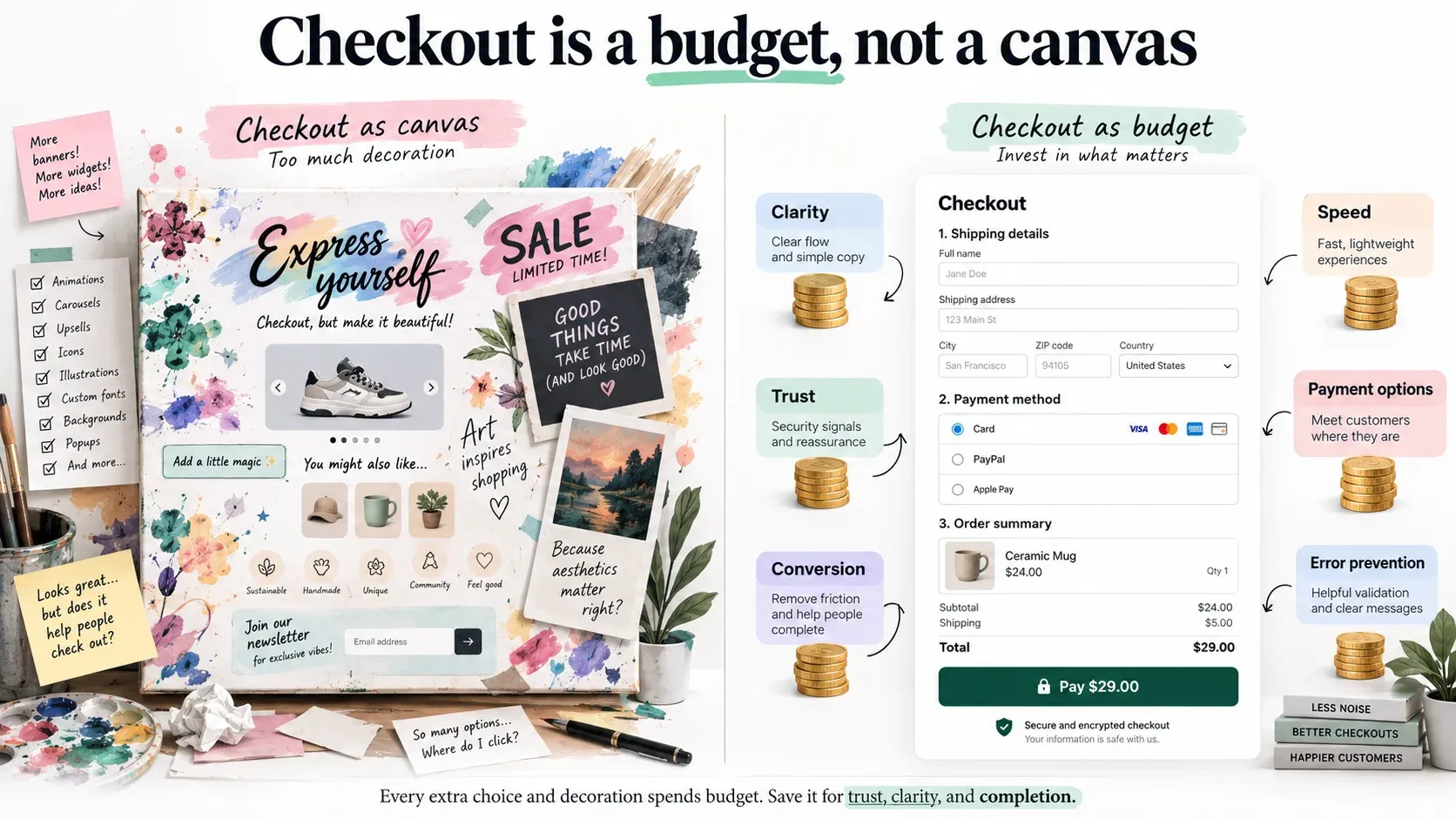
What replaced the file you used to edit
For years the answer to changing something in checkout was checkout.liquid, and the answer was unsatisfying but unlimited: it was a template, you could put anything in it, and what you put there ran on the page. That is gone, and if you are arriving at this because a Script or a template stopped working, the reconstruction problem comes first — you cannot port logic you cannot read.
What replaced it is a different shape entirely. Checkout UI extensions run in an isolated sandbox, separate from the checkout page and from every other extension. They have no access to the real checkout DOM and cannot render arbitrary HTML. They render custom elements Shopify provides — forms, actions, layout, media, visuals — and nothing else.
That reads as a restriction and it is worth understanding as a trade. Nobody's extension can break checkout for everybody else's, nothing on the page can read the card field, and Shopify can change the checkout's internals without breaking every merchant at once. The price is that your design has to be expressible in their components.
Sixty-four kilobytes
The number that ends most arguments: a compiled checkout UI extension bundle cannot exceed 64 KB. Full-page customer account extensions get 128.
That is not a lot. It is less than most component libraries, less than a date picker with its locale data, less than the formatting package you were going to pull in for currency. The practical effect is that an extension is written the way embedded software is written — you know what is in the bundle, you add dependencies deliberately, and installing a library for it is a decision with a visible cost rather than a reflex.
It is also, in my experience, the constraint that produces the better result. Sixty-four kilobytes will not fit a second implementation of your product page. It will comfortably fit the three lines a customer actually needs to see at the moment they are deciding whether to pay.
Decide before, display inside
Which leads to the division that makes all of this tractable: decide before checkout, display inside it.
Shopify already splits these. Functions carry server-side logic and run where the platform can trust them; UI extensions render. The mistake is treating the UI extension as a place to work things out — fetching a price, recalculating a lead time, re-deriving what the configurator already established. That is a second implementation of a business rule, living in the most constrained runtime you own, which will one day disagree with the first one in front of a customer holding a card.
So the configuration is decided upstream, written onto the line as attributes, and the extension projects it.
/** Only these reach the customer. Anything else on the line stays internal. */
const DISPLAY = [
  { attribute: "_config_summary", label: "Configuration" },
  { attribute: "_lead_time", label: "Estimated lead time" },
  { attribute: "_fitment", label: "Fits" },
];

export function summaryRows(line) {
  const attributes = line?.attributes ?? [];
  const byKey = new Map(attributes.map((a) => [a.key, a.value]));

  const rows = [];
  for (const { attribute, label } of DISPLAY) {
    const value = byKey.get(attribute);
    if (value === undefined || value === null) continue;

    const text = String(value).trim();
    // An attribute present but empty is upstream's problem, not something to
    // render as a blank row under a heading the customer can read.
    if (text === "") continue;

    rows.push({ label, value: text });
  }

  return rows;
}Why the allow-list, and what the split buys
The allow-list is not paranoia. A line item that has been through a configurator and a pricing service carries internal attributes as well as customer-facing ones, and an extension that renders whatever it finds will eventually render something nobody meant a customer to see.
There is a practical benefit to the split beyond correctness. A projection with no network calls and no branching on business rules is testable in the ordinary way, and as of API version 2026-04 checkout UI extensions can be unit-tested with Shopify's own @shopify/ui-extensions-tester. An extension that fetches and computes is something you verify by opening a checkout and clicking through it; one that maps attributes to rows is something you verify in a test run, which is the difference between a surface you can change confidently and one you touch as little as possible.
Network access, and why asking for it is usually a symptom
Extensions can make external calls. It is a documented capability — network_access = true under [extensions.capabilities], or the equivalent action in the configuration UI, which grants the approval scope. This is not forbidden and the article is not going to pretend it is.
It is worth being suspicious of, for two reasons. The first is where you are: checkout is the one part of the site where latency converts directly into abandoned carts, and a synchronous call to your own API from inside the customer's checkout is a dependency you have added to the moment of payment. The second is what it usually means. Most extensions that want the network want it in order to compute something — and if the answer has to be computed at checkout, the question is why it was not computed earlier, when there was time and a less constrained runtime to do it in.
There are honest uses: a stock check against a warehouse, a validation that genuinely cannot happen sooner. Ask for it then, and handle the timeout, because the customer is waiting.
What this does not let you do
It does not give you the information, shipping or payment steps unless you are on Plus. Those are Plus-only, and the article should be precise about this because most writing on the subject is not: extensions that appear after a purchase completes are available on every plan except Starter. Post-purchase is a real surface on a Grow plan; mid-checkout is not.
It does not let you restyle the checkout. You are choosing from Shopify's components and their appearance follows the merchant's checkout branding settings, not your CSS. Designs that assume otherwise get rebuilt.
And it does not make the extension the right place for the logic. Nothing about having a runtime in checkout changes where a business rule should live, and the sandbox is small enough to make that argument for you.
When this needs an engineer
Often it does not. A great deal of what people want in checkout is available in the checkout editor and branding settings, and an extension that duplicates something the merchant can already configure is a maintenance liability you chose. If the requirement is a message, a banner or a reordering, check the editor first.
It becomes engineering when a business rule has to be visible at the point of payment and the information behind it does not exist in Shopify's own order model — a configured build, a fitment, a lead time that came out of a calculation somebody else ran. That was the case for a Plus store selling configured vehicle parts, where checkout extension work carried calculations and business rules into the purchase experience; it sits with our other custom Shopify applications. It is Shopify Plus engineering rather than theme work, because the surface has a budget, a component set and a plan requirement, and all three are decided before you write a line.
Send us the store and the symptom.