The limit everybody hits
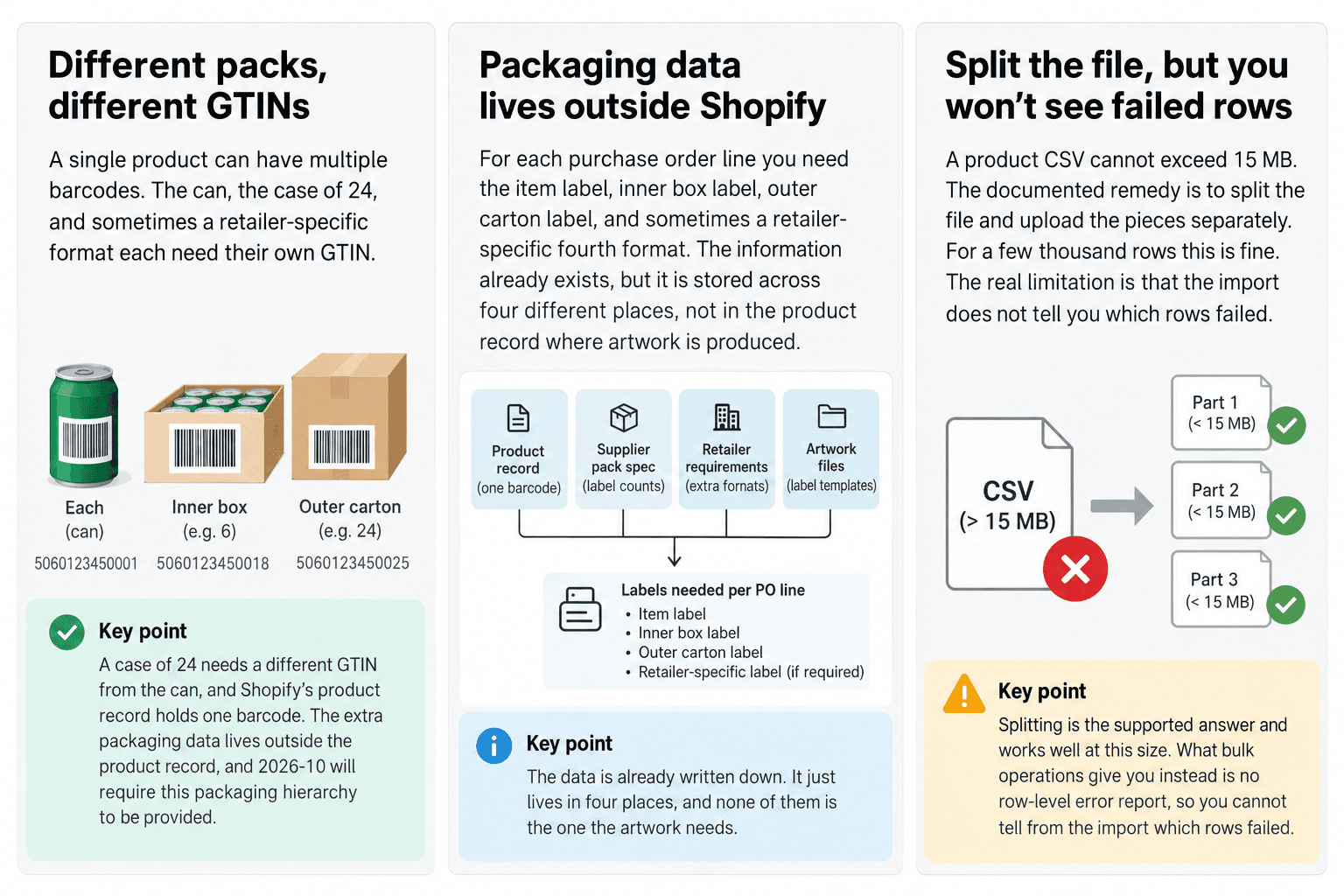
The documented rule is straightforward: a product CSV cannot exceed 15 MB, and the documented remedy is to split the file and upload the pieces separately. For a few thousand rows that is genuinely fine. Splitting is not a hack; it is the supported answer, and at that size you can open the result and look at it.
What splitting does not change is the shape of what you are doing. Five uploads are five independent operations with no relationship to each other, no shared validation, and no combined record of what happened. You have turned one job you cannot inspect into five jobs you cannot inspect.
What the Handle column is actually doing
The handle looks like a URL slug. It is the product's identity, and it is also the mechanism that groups rows into variants: rows sharing a handle are variants of the same product, and each distinct handle is a separate product. If the handle in the file matches one already in the store, the values in the file overwrite the matching columns on that product.
That makes the handle column the one place where a supplier feed does structural work, and it carries two failure modes that produce no error at all.
The first is that product-level fields are read from the first row only. Shopify's own instruction for variant rows is to skip the Title, Description, Vendor and Tags columns, because the initial row supplies them. Feeds do not generally do that — an export from another system usually repeats the title on every line — and most of the time that is harmless. It stops being harmless the moment two rows disagree. A corrected title on row four of a product is not a conflict and not an error; it is simply not applied, and nothing anywhere says so.
The second is the one the documentation declines to answer. A handle cannot contain spaces — that much is stated. Whether the importer normalises case or trims padding is not stated anywhere, which means a feed carrying both lower-case and capitalised spellings of the same handle has no documented outcome. It might be one product. It might be two, each holding the variants whose rows agreed with each other, both looking entirely plausible on the storefront. The correct response to an undocumented behaviour in a migration is not to test it once and rely on the answer; it is to make sure the feed never asks the question.
Two rows landing on the same handle with the same option values do not produce a duplicate warning either. The later row wins.
At a few hundred products somebody notices. On a catalogue of roughly twenty-eight thousand products, which is the scale we handled for a supplier-driven fabric business, nobody notices, because manual correction at that size is not a thing that happens. Their own recorded challenge puts it plainly: tens of thousands of products make manual correction impractical, and source datasets are rarely normalised the way Shopify expects.
The question CSV cannot answer
Here is the question that matters after any large import: which records failed, and why?
Shopify's import documentation describes a confirmation email and points at a page of common problems. There is no documented per-row results file. Whatever the importer decided about row 19,402 is not something the process hands you.
That is the actual argument against CSV at scale, and it has nothing to do with megabytes. A migration you cannot audit is a migration you have to re-check by hand, and re-checking twenty-eight thousand products by hand is the cost you were trying to avoid when you started automating.
What bulk operations give you instead
The Admin API's bulk import path is a different instrument. You supply a mutation and a file in JSON Lines format — one complete mutation input per line — staged through stagedUploadsCreate and POSTed as multipart form data. Shopify runs it in the background and hands back a results file.
The numbers are better: the JSONL file can be 100 MB rather than 15, operations have 24 hours to complete, and since API version 2026-01 an app can run five bulk mutations per shop at once where it used to be one.
The error model is the part that actually changes the work. Failures are handled at the line level — individual mutation errors appear in the output file with their messages, and the operation as a whole only reports FAILED for critical system errors. If it dies partway there is a partialDataUrl holding what completed. You get a file that says which records failed and what was wrong with them, which is precisely what the case study means by isolating failed records rather than invalidating an entire migration.
You will run it more than once
The assumption buried in “the import” is that it happens once. It does not. The supplier sends a corrected feed, a mapping decision turns out to be wrong, a category needs redoing — and each time, the job runs again over data that partly already exists.
That is why stable identifiers matter more than they look like they should. If the identity of a product is derived from something mutable — a title, a position in the file, a generated sequence — then the second run creates duplicates instead of updating what the first run made. If identity comes from something the supplier controls and does not change, reruns are safe and the whole migration becomes iterative rather than a single event you have to get right.
The same held on a BigCommerce to Shopify migration for an audiobook catalogue, where product metadata and the media each product carried moved on different timetables. Reruns were not the exception there either.
type Row = {
  handle: string;
  title: string;
  options: readonly string[];
};

type Issue =
  | { kind: "missing-handle"; row: number }
  | { kind: "ambiguous-handle"; variants: string[] }
  | { kind: "title-split"; title: string; handles: string[] }
  | { kind: "ignored-title"; handle: string; kept: string; discarded: string[] }
  | { kind: "duplicate-options"; handle: string; options: string };

/** Compare on this form. Shopify's docs do not say whether the importer
 *  normalises case or padding, so two handles that differ only this way have
 *  no documented outcome — which is what `ambiguous-handle` reports. */
const norm = (s: string) => s.trim().toLowerCase();

export function auditHandles(rows: readonly Row[]): Issue[] {
  const issues: Issue[] = [];
  const rawByHandle = new Map<string, Set<string>>();
  const handlesByTitle = new Map<string, Set<string>>();
  const titlesByHandle = new Map<string, string[]>();
  const optionsByHandle = new Map<string, Set<string>>();

  rows.forEach((row, i) => {
    const handle = norm(row.handle);
    if (handle === "") {
      issues.push({ kind: "missing-handle", row: i + 1 });
      return;
    }

    const raws = rawByHandle.get(handle) ?? new Set<string>();
    raws.add(row.handle);
    rawByHandle.set(handle, raws);

    const title = row.title.trim();
    if (title !== "") {
      const handles = handlesByTitle.get(norm(title)) ?? new Set<string>();
      handles.add(handle);
      handlesByTitle.set(norm(title), handles);

      // Order matters: product-level fields come from the first row only.
      titlesByHandle.set(handle, [...(titlesByHandle.get(handle) ?? []), title]);
    }

    // Variants of one product are rows sharing a handle, so a repeated option
    // tuple is two rows competing to be the same variant.
    const key = row.options.map(norm).join(" / ");
    const seen = optionsByHandle.get(handle) ?? new Set<string>();
    if (seen.has(key)) {
      issues.push({ kind: "duplicate-options", handle: row.handle.trim(), options: key });
    }
    seen.add(key);
    optionsByHandle.set(handle, seen);
  });

  for (const [, raws] of rawByHandle) {
    if (raws.size > 1) issues.push({ kind: "ambiguous-handle", variants: [...raws].sort() });
  }

  for (const [title, handles] of handlesByTitle) {
    if (handles.size > 1) {
      issues.push({ kind: "title-split", title, handles: [...handles].sort() });
    }
  }

  for (const [handle, titles] of titlesByHandle) {
    const [kept, ...rest] = titles;
    const discarded = [...new Set(rest.filter((t) => t !== kept))];
    if (discarded.length > 0) {
      issues.push({ kind: "ignored-title", handle, kept: kept!, discarded: discarded.sort() });
    }
  }

  return issues;
}Validate the source, not the result
The recorded lesson from the fabric catalogue is that source validation saves more time than post-import cleanup, and the reason is in the previous sections: after the import, the faults that matter most no longer look like faults. A split product looks like a product. A silently overwritten variant looks like a variant. A discarded title leaves nothing behind at all.
So the audit has to run on the file, before anything is uploaded, and it has to check the structural things rather than the obvious ones. Not “is this a valid CSV” — it is. Whether any title is claimed by more than one handle. Whether any handle carries a second, different title that will be thrown away. Whether any two handles differ only in ways the documentation does not rule on. Whether any handle repeats an option combination.
There is a second-order version of the same lesson, and it is the one that saves the most time: decide the Shopify catalogue model before transforming anything. Mapping the supplier's columns into products, variants and metafields is a decision about structure, and making it after the transformation means doing the transformation twice.
When this needs an engineer
It does not need one for a few thousand clean rows from a system you control. The CSV importer is a good tool and most stores should use it — if you can open the file, read it, and spot a bad handle, the whole apparatus in this article is overhead.
It needs engineering at the point where nobody can read the output. Tens of thousands of products, a feed from a supplier who will never send exactly the columns you asked for, and reruns as the normal case rather than the exception — that is a data pipeline, with validation, batching, stable identifiers and error isolation, and treating it as an upload is what produces the fortnight of cleanup. That work sits with our other migrations and catalogue data engagements, and it is what Shopify migration services means when the catalogue is the hard part.
Send us the store and the symptom.