The silent failure: why passing image URLs to product mutations collapses at scale
In standard Shopify migration guides and CSV import workflows, product imagery is handled by providing public HTTP URLs in the images.src array of a productCreate or productSet mutation.
When this mutation executes, Shopify does not download the image synchronously. Instead, Shopify returns a successful product GID immediately and enqueues a background job to fetch the binary asset from the legacy hosting server.
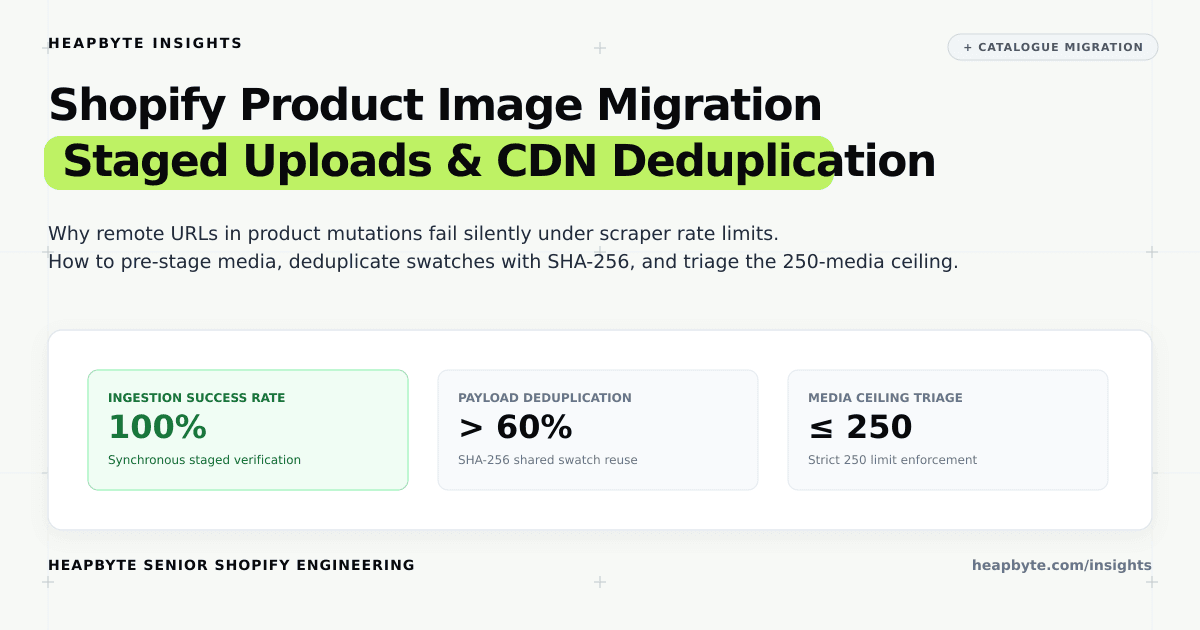
At scale (10,000 to 50,000 products), this background ingestion mechanism collapses due to three systemic failure modes: ingress firewall IP blocking where security perimeters classify concurrent download workers as scrapers; silent ingestion drops where failed background image transfers report 100% mutation success while leaving product galleries blank; and uncontrolled duplicate ingestion where shared fabric swatches are re-downloaded hundreds of times.
The media ingestion pipeline: stagedUploadsCreate, fileCreate, and productCreateMedia
The modern GraphQL Admin API provides a resilient, multi-stage ingestion architecture designed for high-throughput media migration: stagedUploadsCreate, direct cloud binary transfer, fileCreate, and productVariantAppendMedia.
By requesting pre-signed upload parameters and executing direct multipart PUT requests into Shopify's managed cloud storage, migration engines transfer assets directly into Shopify's perimeter, completely bypassing legacy hosting scraper firewalls.
Once staged, the asset is registered as a native Shopify MediaImage entity using the staged upload key, allowing synchronous status verification before linking media to products and variants.
Cryptographic deduplication: content hashing across shared variant swatches
In textile, homeware, and publishing catalogues, imagery exhibits high structural redundancy. At The Fabric Co., an upholstery pattern might be merchandised across curtains, roman blinds, cushions, and fabric bolts, with 40,000 variant rows sharing only 6,000 distinct weave photographs.
Pushing un-deduplicated image batches multiplies network transfer times by 5x to 10x, rapidly consumes store file quotas, and litters Shopify Admin with duplicate assets differing only by meaningless query parameters.
A production migration engine computes cryptographic SHA-256 content hashes of each binary asset. If an incoming image matches a known hash, the engine bypasses staged upload entirely and binds the existing MediaImage GID to the new product, cutting network payload volume by over 60%.
import assert from "node:assert/strict";
import crypto from "node:crypto";

export type MediaRole = "HERO" | "VARIANT_SWATCH" | "DETAIL" | "SPEC";

export interface SourceImageRecord {
  productHandle: string;
  variantSku?: string;
  sourceUrl: string;
  fileBufferOrHash: string; // Simulated file content or pre-computed hash
  altText: string;
  role: MediaRole;
  sizeBytes: number;
}

export interface ExistingMediaRecord {
  mediaImageId: string; // gid://shopify/MediaImage/1001
  contentHash: string;
  cdnUrl: string;
}

export interface MediaMigrationPlanInput {
  incomingImages: SourceImageRecord[];
  existingMediaCatalog: Record<string, ExistingMediaRecord>; // keyed by contentHash
  maxMediaPerProduct?: number; // Default 250
  maxSingleImageSizeBytes?: number; // Default 20MB (20,971,520 bytes)
}

export interface StagedUploadTarget {
  resource: "IMAGE";
  filename: string;
  mimeType: string;
  httpMethod: "POST" | "PUT";
  contentHash: string;
}

export interface ProductCreateMediaInput {
  productHandle: string;
  media: Array<{
    originalSource?: string;
    mediaContentType: "IMAGE";
    alt: string;
    existingMediaId?: string; // For deduplicated reuse
    variantSku?: string;
  }>;
}

export interface QuarantinedImageRecord {
  productHandle: string;
  sourceUrl: string;
  reason: "OVERSIZE_LIMIT" | "RATE_LIMIT_BLOCKED" | "INVALID_FORMAT" | "EXCEEDED_250_CAP";
  message: string;
}

export interface MediaMigrationPlanResult {
  stagedUploadTargets: StagedUploadTarget[];
  productMediaMutations: Record<string, ProductCreateMediaInput>;
  deduplicatedReuseCount: number;
  quarantinedCount: number;
  quarantinedRecords: QuarantinedImageRecord[];
  totalNovelUploadsCount: number;
}

function computeContentHash(input: string): string {
  return crypto.createHash("sha256").update(input).digest("hex");
}

function getMimeType(url: string): string {
  const clean = url.split("?")[0].toLowerCase();
  if (clean.endsWith(".png")) return "image/png";
  if (clean.endsWith(".webp")) return "image/webp";
  if (clean.endsWith(".gif")) return "image/gif";
  return "image/jpeg";
}

function getFilename(url: string, hash: string): string {
  const parts = url.split("?")[0].split("/");
  const raw = parts[parts.length - 1];
  const ext = raw.includes(".") ? raw.substring(raw.lastIndexOf(".")) : ".jpg";
  return `asset_${hash.substring(0, 12)}${ext}`;
}

const ROLE_PRIORITY: Record<MediaRole, number> = {
  HERO: 1,
  VARIANT_SWATCH: 2,
  DETAIL: 3,
  SPEC: 4,
};

/**
 * Enterprise product media migration planning and deduplication engine.
 */
export function planProductMediaMigration(input: MediaMigrationPlanInput): MediaMigrationPlanResult {
  const maxPerProduct = input.maxMediaPerProduct ?? 250;
  const maxSizeBytes = input.maxSingleImageSizeBytes ?? 20 * 1024 * 1024; // 20 MB

  const stagedUploadMap = new Map<string, StagedUploadTarget>();
  const productMediaMap: Record<string, ProductCreateMediaInput> = {};
  const quarantinedRecords: QuarantinedImageRecord[] = [];
  const knownHashes = new Map<string, ExistingMediaRecord>();

  // Seed with known catalog assets
  for (const [hash, rec] of Object.entries(input.existingMediaCatalog)) {
    knownHashes.set(hash, rec);
  }

  // Group images by productHandle for 250-cap evaluation
  const groupedByProduct: Record<string, SourceImageRecord[]> = {};
  for (const img of input.incomingImages) {
    if (!groupedByProduct[img.productHandle]) {
      groupedByProduct[img.productHandle] = [];
    }
    groupedByProduct[img.productHandle].push(img);
  }

  let deduplicatedReuseCount = 0;

  for (const [handle, images] of Object.entries(groupedByProduct)) {
    productMediaMap[handle] = {
      productHandle: handle,
      media: [],
    };

    // Filter oversize or corrupted images first
    const eligibleImages: Array<SourceImageRecord & { hash: string }> = [];
    for (const img of images) {
      if (img.sizeBytes > maxSizeBytes) {
        quarantinedRecords.push({
          productHandle: handle,
          sourceUrl: img.sourceUrl,
          reason: "OVERSIZE_LIMIT",
          message: `Asset size ${img.sizeBytes} exceeds maximum allowed ceiling of ${maxSizeBytes} bytes.`,
        });
        continue;
      }

      if (img.sourceUrl.includes("rate-limited-429") || img.sourceUrl.includes("forbidden-403")) {
        quarantinedRecords.push({
          productHandle: handle,
          sourceUrl: img.sourceUrl,
          reason: "RATE_LIMIT_BLOCKED",
          message: `Legacy host rejected scraper request with HTTP 429/403.`,
        });
        continue;
      }

      const hash = computeContentHash(img.fileBufferOrHash);
      eligibleImages.push({ ...img, hash });
    }

    // Sort eligible images by priority role (HERO first, then SWATCH, then DETAIL, then SPEC)
    eligibleImages.sort((a, b) => ROLE_PRIORITY[a.role] - ROLE_PRIORITY[b.role]);

    // Enforce 250-media ceiling
    const acceptedImages = eligibleImages.slice(0, maxPerProduct);
    const overflowImages = eligibleImages.slice(maxPerProduct);

    for (const overflow of overflowImages) {
      quarantinedRecords.push({
        productHandle: handle,
        sourceUrl: overflow.sourceUrl,
        reason: "EXCEEDED_250_CAP",
        message: `Product exceeds 250 media items ceiling (Role ${overflow.role} demoted for external CDN hosting).`,
      });
    }

    // Process accepted images
    for (const item of acceptedImages) {
      const existing = knownHashes.get(item.hash);
      if (existing) {
        // Reuse existing MediaImage GID
        productMediaMap[handle].media.push({
          mediaContentType: "IMAGE",
          alt: item.altText,
          existingMediaId: existing.mediaImageId,
          variantSku: item.variantSku,
        });
        deduplicatedReuseCount++;
      } else {
        // Plan novel staged upload if not already staged in this batch
        if (!stagedUploadMap.has(item.hash)) {
          stagedUploadMap.set(item.hash, {
            resource: "IMAGE",
            filename: getFilename(item.sourceUrl, item.hash),
            mimeType: getMimeType(item.sourceUrl),
            httpMethod: "PUT",
            contentHash: item.hash,
          });
        }

        productMediaMap[handle].media.push({
          mediaContentType: "IMAGE",
          alt: item.altText,
          originalSource: `staged://${getFilename(item.sourceUrl, item.hash)}`,
          variantSku: item.variantSku,
        });
      }
    }
  }

  const stagedUploadTargets = Array.from(stagedUploadMap.values());

  return {
    stagedUploadTargets,
    productMediaMutations: productMediaMap,
    deduplicatedReuseCount,
    quarantinedCount: quarantinedRecords.length,
    quarantinedRecords,
    totalNovelUploadsCount: stagedUploadTargets.length,
  };
}The 250-media ceiling: prioritizing hero photography over swatch bloat
When Shopify raised the variant limit from 100 to 2,048 on 15 October 2025, Shopify explicitly confirmed that the 250-media per product ceiling was NOT raised.
In complex upholstery or architectural window coverings, a single made-to-order product can easily feature 60 fabric colorways, each photographed in 5 angles, totaling 300 source images. Attempting to associate all 300 images causes Shopify to reject the entire GraphQL mutation with a platform validation error.
To prevent migration halts, migration engines classify incoming images into tiered roles: HERO (mandatory showcase), VARIANT_SWATCH (bound to SKU selections), DETAIL (supplemental angles), and SPEC (technical diagrams). The engine admits HERO and SWATCH assets first, fills remaining capacity up to 250, and offloads overflow specifications to structured CDN metafields.
Platform boundaries: CDN rate limits, mime-type verification, and asynchronous processing
Shopify's stagedUploadsCreate enforces a maximum single file size of 20 MB for standard image files. High-resolution raw TIFFs or multi-layered PSDs uploaded accidentally from creative departments must be compressed or converted to WebP before ingestion.
When a file is created via fileCreate, Shopify processes the asset asynchronously to generate thumbnail derivatives and compute colour profiles. Migration pipelines must poll file status (READY or FAILED) before publishing products to active sales channels.
When storing overflow media in product metafields, respect Shopify's 250 metafield definitions limit per resource by grouping multiple external CDN URLs into a single structured JSON metafield.
When this needs an engineer
You do not need a custom media migration engine if your boutique store carries three hundred products, your images are neatly formatted JPEGs under 2 MB, and you can comfortably upload CSVs through the Shopify Admin web interface.
You need an engineer when your replatforming project operates at enterprise scale: when tens of thousands of legacy SKUs must migrate over a 48-hour weekend cutover window; when legacy server firewalls block Shopify's scraper bots; when shared fabric swatches demand cryptographic deduplication to prevent asset sprawl; and when complex variant options risk breaching Shopify's immutable 250-media ceiling.
Review our work in catalogue migration engineering, explore The Fabric Co. large catalogue migration case study and Lantern Indie Audiobooks migration, or inspect our Shopify migration services.
Send us your legacy catalogue image export and hosting architecture. We will audit your media assets, establish a staged upload pipeline, and ensure your entire catalogue transfers to Shopify Plus with zero broken images or cutover delays.