Visual tables hide what code catches
When a wholesale business sources hundreds of new references each season, product data management usually begins in an administrative table. The instinct is to give buying teams a spreadsheet-like interface with dozens of editable columns: item dimensions, pack quantities, inner barcodes, outer carton specifications, materials, and sampling dates.
The problem is that visual inspection degrades rapidly with catalogue scale. A human merchandiser reviewing forty purchase order lines across twenty-five attributes is evaluating one thousand distinct data points. Scanning a table to spot whether line twenty-eight has an outer carton barcode or whether line thirty-one accidentally swapped net weight for gross weight is an exercise in fatigue.
Worse, visual inspection conflates presence with validity. A cell with text inside it looks complete on a grid. But whether that text represents a valid GS1 barcode, whether the physical sample has actually been inspected in the showroom, and whether the carton measurements reflect reality cannot be judged by looking at a row of table cells. As we learned when building the Weldaad supplier QC workflow, data completeness must be calculated programmatically rather than left to visual inspection.
The zero-value trap
In modern web development, required-field checks are usually built on truthiness or null checks. If a field contains a non-empty string or a number, the form validator considers the requirement met.
In supplier operations, this assumption is dangerous. When a supplier is prompted to enter carton depth, gross weight, or minimum order quantities for an item still in early development, they rarely have the exact measurements. If the portal refuses to let them save the draft without filling in the box, they type 0 or 0.00 to clear the prompt.
To standard form validators, "0" is a valid, populated string. Boolean("0") evaluates to true. Even when coerced to a number, typeof 0 === "number", which passes schema libraries that only verify types.
The consequence is silent catalogue contamination. A missing field is visible: it shows up as empty space and prompts somebody to ask for the data. A zero value masquerades as real data. When those products sync to Shopify, downstream systems take that zero literally. Dimensional shipping rate calculators fail to return valid carrier rates because package volume evaluates to zero. Master carton barcode generators produce unscannable labels because the units-per-carton field is zero. And warehouse receiving teams cannot calculate pallet heights because every box is recorded as zero centimetres tall.
Defensive validation must treat zero in physical dimensions, weights, and pack multiples as an explicit rejection. It is not zero; it is an unmeasured placeholder.
Three gates before catalogue entry
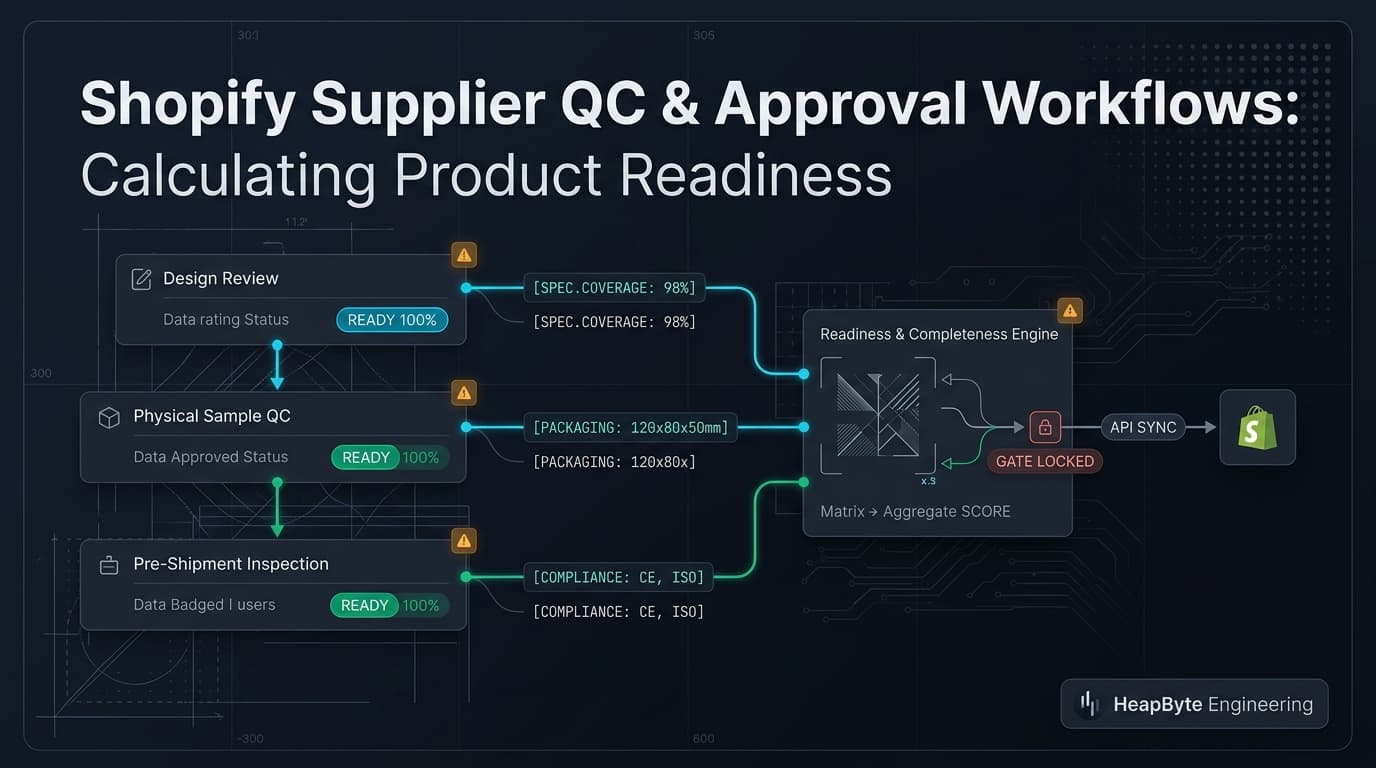
Data validation alone is only half of the readiness calculation. In a serious wholesale sourcing pipeline, products do not move directly from a supplier's quote into Shopify. They progress through distinct physical and operational milestones:
- Design review: Approving initial sketches, material selections, finish swatches, and target costings.
- Physical sampling: Evaluating a manufactured prototype for construction, finish accuracy, and real-world durability.
- Countersample & pre-shipment QC: Inspecting the production run golden sample, checking final carton packaging, and verifying outer barcode labels before release.
Calculating readiness
When we built Shopify supplier portal architectures, we separated these milestones into structured portal states. A product can have perfect textual data on day one, but if the physical counter-sample has not passed quality control, pushing that product to the live Shopify store creates customer chaos. Pre-orders might open for an item whose factory tooling subsequently fails inspection.
The readiness engine enforces this sequence. A product cannot be approved for catalogue synchronisation if its sampling state is still marked PENDING or REJECTED, regardless of whether every dimension field is filled out.
export type QaState = "DRAFT" | "PENDING" | "APPROVED" | "REJECTED";

export interface SupplierProductInput {
  sku: string;
  title: string;
  vendorCode: string;
  consumerEan: string;
  innerEan?: string;
  outerEan: string;
  grossWeightKg: number | string | null | undefined;
  cartonLengthCm: number | string | null | undefined;
  cartonWidthCm: number | string | null | undefined;
  cartonHeightCm: number | string | null | undefined;
  unitsPerOuter: number | string | null | undefined;
  moq: number | string | null | undefined;
  designState: QaState;
  sampleState: QaState;
  qcState: QaState;
}

export interface ReadinessResult {
  readyForShopify: boolean;
  score: number; // 0 to 100
  missing: string[];
  zeroSubstitutions: string[];
  blockedGate: string | null;
}

const REQUIRED_TEXT_KEYS: (keyof SupplierProductInput)[] = [
  "sku",
  "title",
  "vendorCode",
  "consumerEan",
  "outerEan",
];

const REQUIRED_NUMERIC_KEYS: (keyof SupplierProductInput)[] = [
  "grossWeightKg",
  "cartonLengthCm",
  "cartonWidthCm",
  "cartonHeightCm",
  "unitsPerOuter",
  "moq",
];

/**
 * Evaluates whether a supplier-submitted product meets the physical QA gates
 * and data-completeness rules required before synchronising to Shopify.
 */
export function evaluateReadiness(product: SupplierProductInput): ReadinessResult {
  const missing: string[] = [];
  const zeroSubstitutions: string[] = [];

  for (const key of REQUIRED_TEXT_KEYS) {
    const val = product[key];
    if (typeof val !== "string" || val.trim() === "") {
      missing.push(key);
    }
  }

  for (const key of REQUIRED_NUMERIC_KEYS) {
    const raw = product[key];
    if (raw === null || raw === undefined || raw === "") {
      missing.push(key);
      continue;
    }

    const num = typeof raw === "number" ? raw : Number(String(raw).trim());
    if (Number.isNaN(num)) {
      missing.push(key);
    } else if (num === 0) {
      // Rejects "0", 0, "0.00" as an invalid substitute for unmeasured physical specifications.
      zeroSubstitutions.push(key);
    } else if (num < 0) {
      missing.push(key);
    }
  }

  // Evaluate QA gate progression
  let blockedGate: string | null = null;
  if (product.designState !== "APPROVED") {
    blockedGate = `Design review is ${product.designState}`;
  } else if (product.sampleState !== "APPROVED") {
    blockedGate = `Physical sampling is ${product.sampleState}`;
  } else if (product.qcState !== "APPROVED") {
    blockedGate = `Pre-shipment QC is ${product.qcState}`;
  }

  const totalRequiredSpecs = REQUIRED_TEXT_KEYS.length + REQUIRED_NUMERIC_KEYS.length;
  const passedSpecs = totalRequiredSpecs - (missing.length + zeroSubstitutions.length);
  const score = Math.round((passedSpecs / totalRequiredSpecs) * 100);

  const readyForShopify =
    missing.length === 0 &&
    zeroSubstitutions.length === 0 &&
    blockedGate === null;

  return {
    readyForShopify,
    score,
    missing,
    zeroSubstitutions,
    blockedGate,
  };
}Read-only states for external vendors
The evaluation function computes two outputs: a strict binary flag (readyForShopify) and a granular completeness percentage. The binary flag gates the synchronisation pipeline, preventing draft products from touching Shopify's Admin API until every requirement is fulfilled. The percentage drives user interface badges on purchase order overview screens, allowing buyers to see at a glance whether an order is 90% ready or languishing at 30% without opening individual product edit screens.
Role ownership is central to supplier workflows. In a multi-tenant portal where overseas suppliers enter product specifications directly, permissions must reflect contractual authority.
Suppliers must be able to edit product dimensions, upload packaging photos, and propose barcode numbers while a purchase order is in preparation. However, suppliers must never have the ability to advance QA approval states. When a merchant buyer rejects a sample because the glaze colour is uneven or the wood finish is rough, the supplier needs immediate visibility into the rejection notes and sample status, but that status must be strictly read-only on the supplier interface.
Allowing suppliers to toggle their own approval states turns quality control into an honour system. Confining approval buttons to authenticated internal buyers while rendering clear status badges and corrective notes on the supplier dashboard creates accountability without communication breakdown.
What this does not handle
This engine validates data structure and enforces workflow states; it does not verify physical reality. If a supplier enters 4.5 kilograms for a terracotta vase that actually weighs 1.2 kilograms, the engine will accept the number because it is positive and non-zero. Code cannot replace a physical scale in the receiving warehouse.
It does not perform complex regulatory compliance checks, such as verifying chemical safety certifications or timber Lacey Act declarations. Those documents belong in linked file attachments, but verifying their legal authenticity remains a human compliance task.
And it does not eliminate the need for pre-production tolerances. A handmade ceramic bowl will vary in weight by ten to fifteen percent across a production batch. The portal captures the nominal master specification for shipping and cataloguing; variations beyond nominal thresholds must be handled during warehouse quality receiving.
When this needs an engineer
You do not need a custom readiness engine if you buy finished goods from domestic distributors who provide verified GS1 barcodes and standardized CSV spreadsheets. In that scenario, standard Shopify CSV imports or basic spreadsheet mapping tools are sufficient because product engineering and sampling are already complete.
You do need one when you source made-to-order goods directly from factories, where purchase orders double as product development workflows. If you manage physical sampling across multiple seasons, require multi-tiered packaging specifications (consumer EAN, inner box, outer carton), and need to prevent invalid supplier data from contaminating your live Shopify catalogue, you need structured readiness gates.
That is the operational engineering we document across our B2B case studies, and it is what robust Shopify B2B development requires behind the scenes.
Send us the store and the symptom.