The metafield trap: why transactional state does not belong in Shopify resources
Metafields are exceptional for static merchandising data: fabric compositions, wash care instructions, size charts, or downloadable technical PDFs. They are terrible for high-concurrency transactional application state.
When teams attempt to run bespoke application workflows entirely inside Shopify metafields, they encounter four architectural dead ends:
In our engineering work for Tokyo Seta, we resolved these bottlenecks by moving business logic entirely out of theme code into a dedicated backend application with its own PostgreSQL database, using Shopify strictly as the commerce anchor.
- Lack of Atomic Transactions & Row Locking: Shopify metafields are simple key-value documents. If two concurrent requests attempt to read, increment, and write back to a customer metafield, the second write silently clobbers the first. There is no SELECT ... FOR UPDATE or optimistic locking mechanism available on Shopify customer records.
- Admin API Rate Limit Throttling: Writing to metafields requires calling Shopify's GraphQL Admin API (metafieldsSet). High-frequency user interactions (gamification, points, real-time booking slots, allocation tracking) quickly exhaust GraphQL rate-limit buckets, resulting in HTTP 429 'Throttled' errors that freeze customer storefronts.
- Exposure to Client-Side Tampering: Any external API endpoint that accepts customer identifiers directly from client-side JavaScript without cryptographic verification can be trivially spoofed using standard browser developer tools or curl.
- Relational Inefficiency: Complex business logic often requires many-to-many relationships, audit histories, and composite indexing. Modeling a relational graph inside 64KB JSON metafield strings forces clumsy, slow client-side parsing and eliminates query optimization.
The three-tier architecture: storefront, App Proxy, and persistent database
A resilient custom Shopify application follows a clean three-tier separation of concerns:
1. The Storefront Presentation Tier: Standard Liquid or headless components running in the buyer's browser. Makes standard fetch() calls to a relative same-origin URL (e.g. /apps/custom-portal/api/status).
2. The Shopify App Proxy Boundary: Shopify receives the storefront request, strips the merchant domain, appends cryptographic verification signatures (hmac, timestamp, shop, and authenticated logged_in_customer_id), and proxies the HTTP request to your external backend application.
3. The Persistent Application & Database Tier: A robust Node.js/TypeScript backend service running in an isolated environment (AWS, GCP, or Fly.io) backed by PostgreSQL. The service cryptographically validates the App Proxy signature, executes business logic using ACID transactions, and returns clean JSON to the storefront.
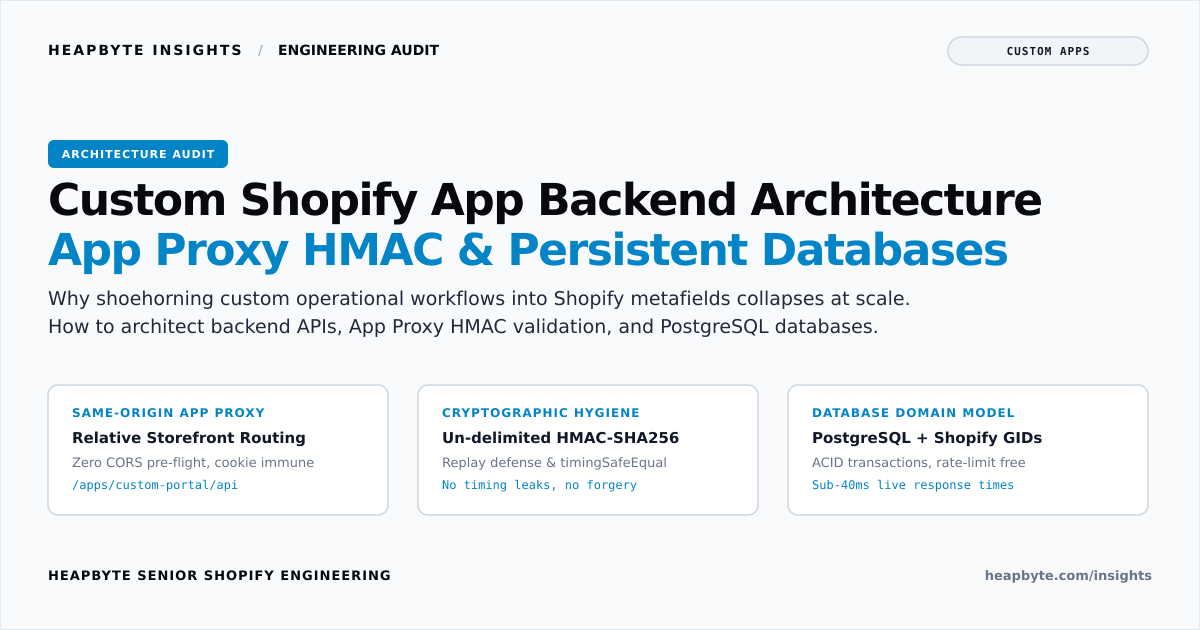
Because the App Proxy operates under the store's primary domain (store.example.com/apps/custom-portal), client requests are completely immune to third-party cookie restrictions, Cross-Origin Resource Sharing (CORS) pre-flight overhead, and cross-domain tracking blockers.
Shopify App Proxy cryptographic HMAC validation mechanics
While App Proxies simplify storefront routing, verifying incoming requests requires meticulous cryptographic hygiene. An unverified or improperly verified proxy endpoint is an open doorway into your internal database.
When Shopify proxies a request to your backend, it appends several query parameters: shop, path_prefix, timestamp, logged_in_customer_id (if authenticated), signature (legacy MD5), and hmac (SHA-256).
To verify the request, your backend must execute five strict steps: extract and strip signatures, validate timestamp freshness (within 90 seconds) to prevent replay attacks, lexicographically sort remaining keys, concatenate key=value pairs with NO delimiter, and perform constant-time comparison using crypto.timingSafeEqual.
import assert from "node:assert/strict";
import { createHmac, timingSafeEqual } from "node:crypto";

export interface AppProxyQueryParams {
  shop: string;
  path_prefix: string;
  timestamp: string;
  signature?: string;
  hmac?: string;
  logged_in_customer_id?: string;
  [key: string]: string | undefined;
}

export interface AppProxyVerificationResult {
  isValid: boolean;
  errorCode?: "MISSING_HMAC" | "EXPIRED_TIMESTAMP" | "HMAC_MISMATCH" | "INVALID_SHOP";
  errorMessage?: string;
  canonicalMessage?: string;
  authenticatedShop?: string;
  customerGid?: string | null;
}

/**
 * Verifies incoming Shopify App Proxy HTTP query parameters against the app client secret.
 */
export function verifyShopifyAppProxyRequest(
  query: AppProxyQueryParams,
  apiSecret: string,
  currentTimeUnixSeconds: number,
  maxAgeSeconds: number = 90
): AppProxyVerificationResult {
  const { hmac, signature, shop, timestamp, logged_in_customer_id } = query;

  if (!hmac || typeof hmac !== "string") {
    return {
      isValid: false,
      errorCode: "MISSING_HMAC",
      errorMessage: "Missing required 'hmac' query parameter from Shopify App Proxy",
    };
  }

  // Validate shop hostname format: must end with .myshopify.com
  if (!shop || !shop.endsWith(".myshopify.com") || shop.includes("/") || shop.includes(" ")) {
    return {
      isValid: false,
      errorCode: "INVALID_SHOP",
      errorMessage: "Invalid or missing 'shop' query parameter",
    };
  }

  // Timestamp replay defense
  const requestTimestamp = parseInt(timestamp, 10);
  if (isNaN(requestTimestamp) || Math.abs(currentTimeUnixSeconds - requestTimestamp) > maxAgeSeconds) {
    return {
      isValid: false,
      errorCode: "EXPIRED_TIMESTAMP",
      errorMessage: `App Proxy request timestamp is outside the allowed ${maxAgeSeconds}s freshness window`,
    };
  }

  // 1. Filter out 'hmac' and 'signature' keys
  const filteredKeys = Object.keys(query).filter(
    (key) => key !== "hmac" && key !== "signature" && query[key] !== undefined
  );

  // 2. Sort keys lexicographically in ascending ASCII order
  filteredKeys.sort();

  // 3. Concatenate each key=value pair with NO delimiter
  const canonicalMessage = filteredKeys.map((key) => `${key}=${query[key]}`).join("");

  // 4. Compute expected HMAC-SHA256 hex digest
  const computedHmacHex = createHmac("sha256", apiSecret).update(canonicalMessage, "utf8").digest("hex");

  // 5. Compare using timingSafeEqual to prevent side-channel timing attacks
  const computedBuffer = Buffer.from(computedHmacHex, "utf8");
  const providedBuffer = Buffer.from(hmac, "utf8");

  if (computedBuffer.length !== providedBuffer.length || !timingSafeEqual(computedBuffer, providedBuffer)) {
    return {
      isValid: false,
      errorCode: "HMAC_MISMATCH",
      errorMessage: "Computed HMAC digest does not match the provided Shopify proxy HMAC",
      canonicalMessage,
    };
  }

  const customerGid =
    logged_in_customer_id && logged_in_customer_id.length > 0
      ? `gid://shopify/Customer/${logged_in_customer_id}`
      : null;

  return {
    isValid: true,
    authenticatedShop: shop,
    customerGid,
    canonicalMessage,
  };
}Relational domain modeling: linking PostgreSQL entities to Shopify GIDs
Once an incoming App Proxy request is authenticated and the buyer's identity is verified, your backend service interacts with its local PostgreSQL database.
The cardinal rule of custom Shopify backend architecture is loose coupling via global identifiers (GIDs):
Never duplicate mutable Shopify data in PostgreSQL: Do not maintain parallel copies of customer names, email addresses, or product pricing in your relational database. If a customer updates their email in Shopify, a duplicated database column drifts out of sync immediately.
Store immutable Shopify GIDs as foreign keys: Model tables with shopify_customer_gid (gid://shopify/Customer/123456789) or shopify_order_gid indexed as VARCHAR(64) with btree indexes.
Keep proprietary state internal: Relational tables should store business data that Shopify has no concept of: point ledgers, allocation reservations, team memberships, or audit logs.
When the customer visits the storefront, the App Proxy endpoint receives logged_in_customer_id, verifies the HMAC, executes a fast indexed query against PostgreSQL, and returns the customer's live allocation in under 40 milliseconds—bypassing Shopify's Admin API entirely.
Lifecycle management: webhooks, tombstoning, and GDPR compliance
Building an external application layer introduces state synchronization responsibilities. If a resource is deleted in Shopify, your external database must respond appropriately:
1. Mandatory GDPR Webhooks: Shopify App Store rules and privacy laws require three mandatory compliance endpoints: customers/data_request, customers/redact, and shop/redact. When a customer requests data erasure, your backend must purge or pseudonymise all records tied to that customer's GID within 30 days.
2. Resource Deletion Webhooks: Listen to customers/delete and products/delete. When a merchant deletes a product or customer in the Shopify admin, your backend should mark corresponding database records with tombstone = true rather than hard-deleting relational rows, preserving financial audit trails without leaving broken pointers.
3. App Proxy Timeout Budgeting: Shopify App Proxy enforces a hard 10-second timeout. If your backend makes unindexed slow SQL queries or synchronous outbound calls to slow third-party APIs, Shopify aborts the request and renders a generic HTTP 504 Gateway Timeout error on the storefront. All proxy API routes must execute within 250 milliseconds, pushing heavy tasks to background workers.
When this needs an engineer
You do not need a custom backend application if your store requirements can be solved with native Shopify metafields, standard collection filtering, or off-the-shelf App Store apps with pre-built user interfaces.
You need an engineer when your ecommerce operation outgrows theme-level scripting: when bespoke business rules require ACID-compliant relational databases; when high-frequency customer actions crash into Shopify Admin API rate limits; when sensitive calculations or customer allocations must execute in an authenticated server-side environment protected by App Proxy HMAC validation; and when external systems must integrate seamlessly with Shopify without brittle web scraping.
Explore our engineering work in custom Shopify app development (/services/custom-shopify-apps), inspect our custom applications case study collection (/work/collections/custom-applications), or review the full-stack architecture in the Tokyo Seta case study (/work/tokyo-seta).
Send us your system requirements, data workflows, and user concurrency expectations. We will architect a clean, scalable custom backend that keeps your commerce store secure, fast, and maintainable.