The single-SKU bundle trap: why opaque custom pricing breaks inventory
When engineering made-to-measure configurators on Shopify, developers typically start with one of two naive approaches, both of which collapse under operational volume.
The first approach is single-SKU bundling. The configurator captures dimensions, timber species, edge profiles, brackets, and lighting, calculates a composite price, and injects that price onto a generic custom variant using line item properties or a dynamic price script.
While this keeps the customer cart clean (a single line item for 'Custom Floating Shelf - $420.00'), it introduces catastrophic operational blindness: zero component inventory depletion, warehouse picking omissions, and accounting/tax distortions where hardware accessories cannot be taxed or itemised separately.
The second naive approach is uncoordinated multi-line cart submission. The frontend configurator issues three simultaneous AJAX fetch('/cart/add.js') requests: one for the shelf, one for the brackets, and one for the LED channel. Because these lines enter the cart as independent commercial items, any subsequent user interaction in the cart drawer desynchronises the bundle. If the customer increases the shelf quantity from 1 to 2, the brackets remain at 1. If they remove the shelf, the child brackets and lighting kit remain in the cart, allowing the shopper to purchase isolated trade accessories at bundled prices.
In our configurator architecture for Custom Floating Shelves and window treatment calculations for Vorhang Schweiz, we solved this by implementing deterministic cart decomposition directly within the theme's commerce lifecycle.
Parent-child cart decomposition architecture
True cart decomposition treats a configured made-to-measure item as an atomic distributed system within Shopify's cart state.
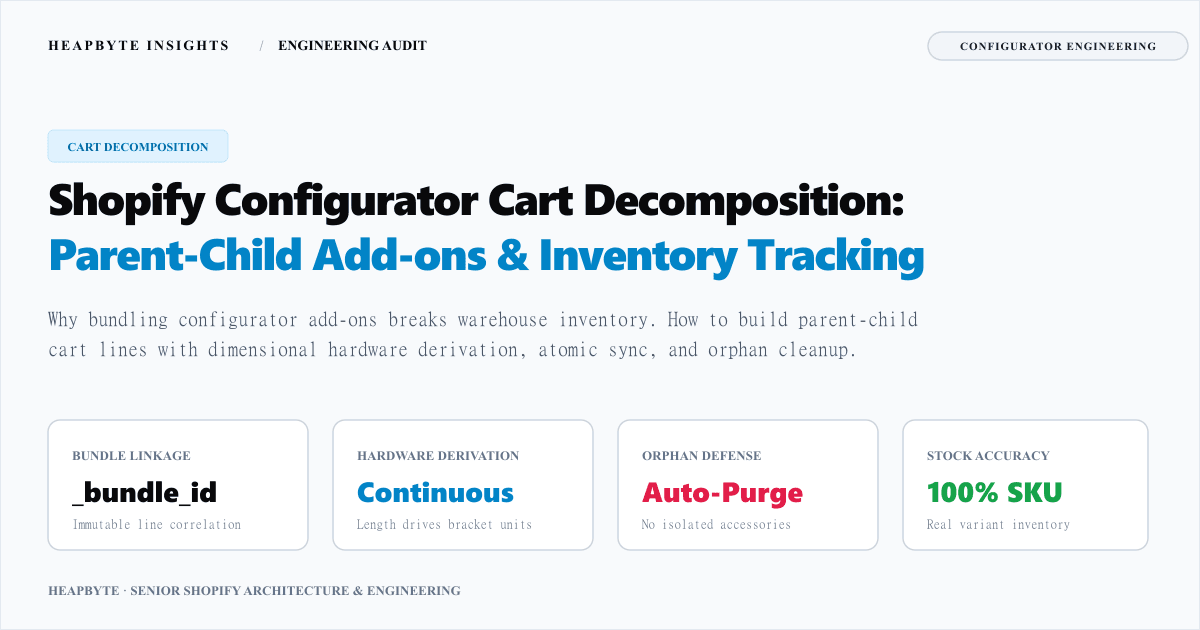
The architecture comprises three core entities: the parent line item (carrying dimensions, finish selections, and a globally unique _bundle_id), dependent child line items (discrete inventory-tracked components carrying the matching _bundle_id, _parent_line_id, and _component_role), and the cart synchronisation controller.
By decomposing the order into discrete Shopify variant lines, native inventory tracking functions flawlessly: warehouse pickers receive distinct pick list rows, shipping calculations read actual component weights, and the storefront cart drawer reflects transparent, professional line pricing.
Dimension-driven hardware derivation formulas
A critical flaw in standard bundle apps is that they only support fixed 1:1 or 1:N quantity mappings. In made-to-measure manufacturing, component hardware quantities are continuous non-linear functions of parent dimensions.
Consider structural shelving brackets: a 24-inch shelf requires 2 mounting brackets to anchor safely into standard 16-inch wall stud framing. An 84-inch shelf requires 5 brackets to distribute deflection loads and prevent timber sag under weight.
Encoding these physical engineering rules into the cart decomposition engine ensures that when the customer adds a 72-inch shelf to their cart, exactly 5 brackets are added to the line item payload automatically, establishing true bill-of-materials integrity before checkout handoff.
export type ComponentRole = "parent_product" | "bracket_hardware" | "led_lighting" | "finish_treatment";

export interface ConfiguredDimensionInput {
  lengthInches: number;
  depthInches: number;
  thicknessInches: number;
  woodSpecies: string;
  finishType: string;
  ledOption: "none" | "warm_white_recessed" | "cool_white_recessed";
  includeHeavyDutyBrackets: boolean;
}

export interface ComponentSKUDefinition {
  sku: string;
  variantId: string;
  title: string;
  unitPriceCents: number;
  role: ComponentRole;
  requiresInventoryTracking: boolean;
}

export interface DecomposedCartLine {
  variantId: string;
  sku: string;
  title: string;
  quantity: number;
  priceCents: number;
  properties: {
    _bundle_id: string;
    _parent_line_id?: string;
    _component_role: ComponentRole;
    _length_inches?: string;
    [key: string]: string | undefined;
  };
}

export function calculateRequiredBrackets(lengthInches: number): number {
  if (lengthInches <= 0) return 0;
  if (lengthInches <= 30) return 2;
  return 2 + Math.ceil((lengthInches - 30) / 20);
}

export function decomposeConfiguredProduct(
  input: ConfiguredDimensionInput,
  options: {
    baseVariantId: string;
    basePriceCentsPerFoot: number;
    bracketDef: ComponentSKUDefinition;
    ledDef: ComponentSKUDefinition;
    bundleUuidGenerator?: () => string;
  }
) {
  const bundleId = options.bundleUuidGenerator ? options.bundleUuidGenerator() : "bnd_" + Date.now();
  const linearFeet = input.lengthInches / 12;
  const baseShelfPriceCents = Math.round(linearFeet * options.basePriceCentsPerFoot);

  const parentLine: DecomposedCartLine = {
    variantId: options.baseVariantId,
    sku: "SHELF-" + input.woodSpecies.toUpperCase().replace(/\s+/g, "_"),
    title: "Custom Floating Shelf (" + input.woodSpecies + ", " + input.lengthInches + "\"L x " + input.depthInches + "\"D)",
    quantity: 1,
    priceCents: baseShelfPriceCents,
    properties: {
      _bundle_id: bundleId,
      _component_role: "parent_product",
      _length_inches: input.lengthInches.toString(),
      Wood: input.woodSpecies,
      Finish: input.finishType,
    },
  };

  const childLines: DecomposedCartLine[] = [];
  if (input.includeHeavyDutyBrackets) {
    const bracketCount = calculateRequiredBrackets(input.lengthInches);
    childLines.push({
      variantId: options.bracketDef.variantId,
      sku: options.bracketDef.sku,
      title: options.bracketDef.title + " (" + bracketCount + "x for " + input.lengthInches + "\" shelf)",
      quantity: bracketCount,
      priceCents: options.bracketDef.unitPriceCents,
      properties: {
        _bundle_id: bundleId,
        _parent_line_id: bundleId,
        _component_role: "bracket_hardware",
        "Associated With": input.lengthInches + "\" " + input.woodSpecies + " Shelf",
      },
    });
  }

  if (input.ledOption !== "none") {
    const ledKitPrice = options.ledDef.unitPriceCents + Math.round(input.lengthInches * 50);
    childLines.push({
      variantId: options.ledDef.variantId,
      sku: options.ledDef.sku,
      title: options.ledDef.title + " (" + input.lengthInches + "\" Channel)",
      quantity: 1,
      priceCents: ledKitPrice,
      properties: {
        _bundle_id: bundleId,
        _parent_line_id: bundleId,
        _component_role: "led_lighting",
        "Associated With": input.lengthInches + "\" " + input.woodSpecies + " Shelf",
      },
    });
  }

  return { bundleId, parentLine, childLines };
}Cart drawer mutation lifecycle and orphan purge defense
Decomposing lines into the cart is straightforward: you pass an array of items to Shopify's AJAX endpoint in a single atomic request via fetch('/cart/add.js').
The real engineering challenge arises after the items are in the cart. Theme cart drawers allow customers to manipulate line items freely. Without defensive client-side guards, three failure modes appear: orphan accessory leaks when the parent is deleted, non-linear quantity desynchronisation when parents scale, and client-side quantity tampering.
The synchronisation controller intercepts every cart response. If it identifies any line containing _parent_line_id where the matching parent is absent, it immediately triggers an atomic /cart/update.js mutation setting those line quantities to 0.
For stores operating on Shopify Plus, this client-side defense is backed by server-side Checkout Validation Functions or WebAssembly Cart Transform Functions, which reject checkouts if parent-child bundle parity is breached.
Line item property conventions and checkout boundary guarantees
Shopify's handling of line item properties contains subtle platform behaviours that dictate how bundle metadata must be structured.
Any line item property prefixed with an underscore (such as _bundle_id, _parent_line_id, and _component_role) is treated as a private internal attribute. Shopify automatically hides these properties from customer-facing order confirmation emails, packing slips, and the standard checkout summary UI.
Properties without an underscore render openly in the customer cart and checkout line items, providing clear reassurance that the hardware belongs to their bespoke order.
In Shopify's cart core, two line items sharing the identical variant_id will merge into a single line with incremented quantity only if their line item properties match identically. Adding a unique _bundle_id ensures that if a customer orders two distinct 48-inch shelves with different finishes, their respective brackets remain split across two separate lines rather than merging into an opaque total of 6 units.
When this needs an engineer
You do not need a custom cart decomposition engine if your store sells standard catalog products, if your configurator options do not require independent warehouse inventory tracking, or if you can accept an off-the-shelf bundle app that forces your customers through an external checkout wrapper.
You need an engineer when your products are made-to-measure: when continuous physical dimensions determine discrete hardware quantities; when accessories must deplete real Shopify variant inventory; when multiple configured custom products must coexist in the cart without cross-contamination; and when the buying experience must remain fully integrated into native Shopify theme cart drawers without third-party app bloat or orphaned accessory vulnerabilities.
Explore our engineering work in product configurator development, inspect our configurator case study collection, review our architecture for algorithmic cut-sheet generation, or examine how made-to-measure pricing was delivered in the Custom Floating Shelves case study.
Send us your product options, dimension formulas, and hardware catalog. We will architect a clean, robust cart decomposition engine that keeps your pricing dynamic, your inventory truthful, and your cart rock solid.